

Design Your Fence With Precision — Right From Your Device
Draw your fence line on an aerial map, add gates and energizers, and instantly see the exact materials and cost you’ll need — before placing your order with Kencove.
How It Works:
Perfect for:
- Livestock fencing
- Electric fencing
- Permanent or temporary systems
- Paddock planning
- Contractors designing for customers
- New landowners planning a first fence
- Multi-paddock management
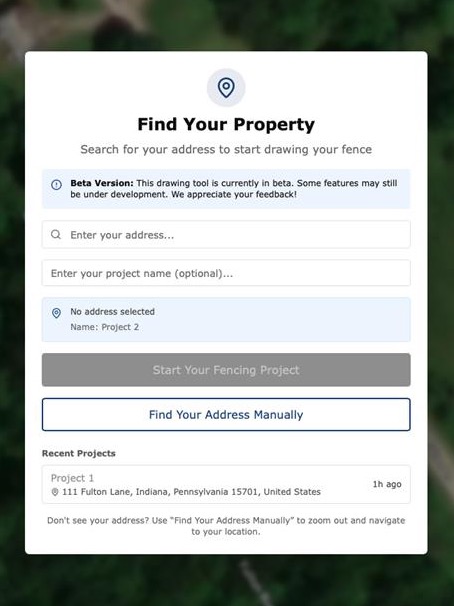
STEP 1: Locate Your Land
Search your address or use GPS location to load a real aerial view of your property.
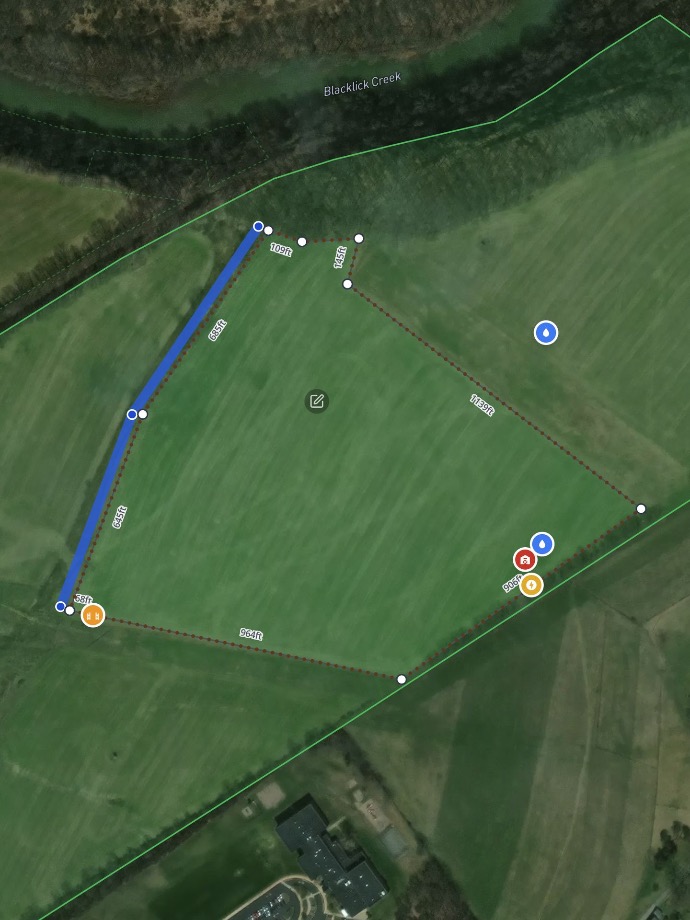
STEP 2: Draw Your Fence Line
Click to trace your boundary, paddock, lane, or pasture. Add corners, curves, and property features.
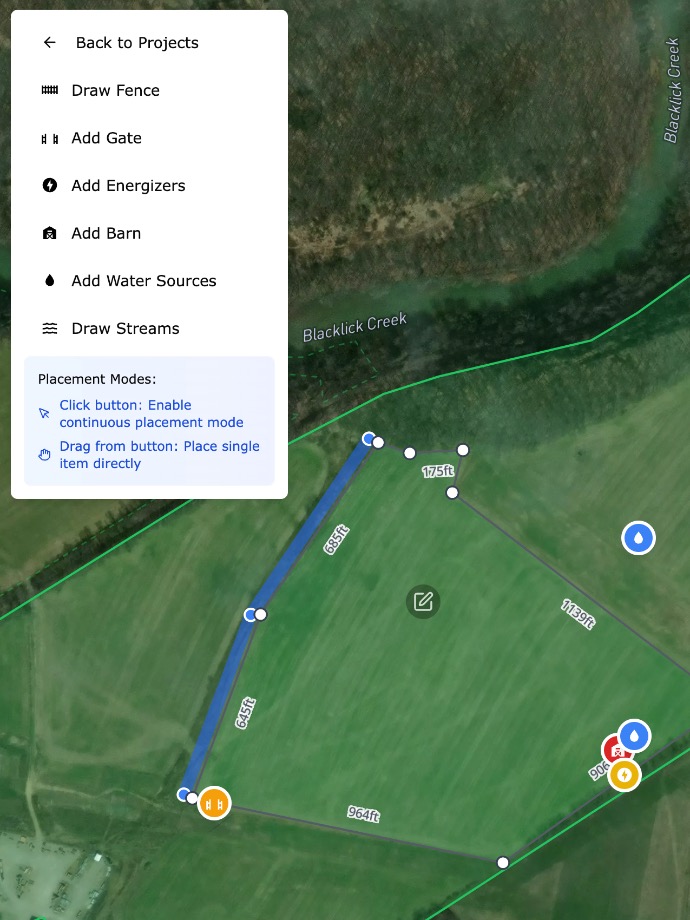
STEP 3: Add Gates, Energizers & Land Features
Include streams, barns, driveways, water crossings, slopes, and more to build an accurate plan.
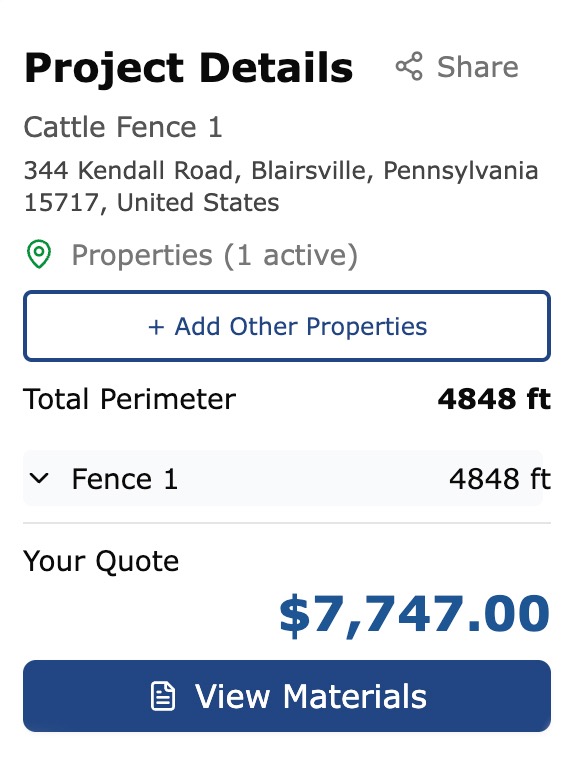
STEP 4: Review Your Materials in Real Time
Every post, roll of wire, insulator, brace, and gate updates instantly as you draw.
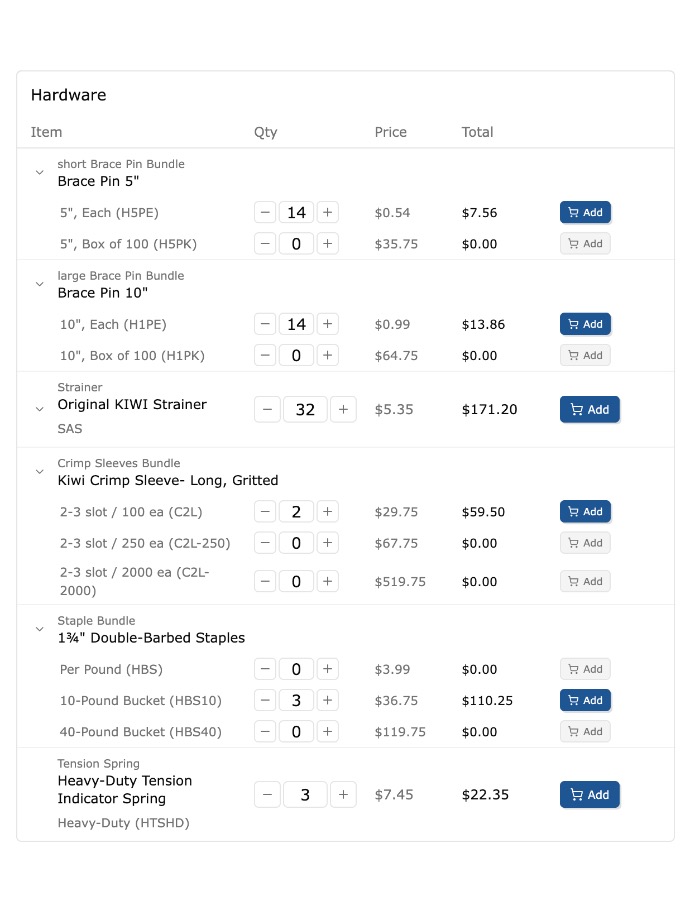
STEP 5: Edit Your Materials List
Adjust quantities, swap components, and customize your order before submitting.
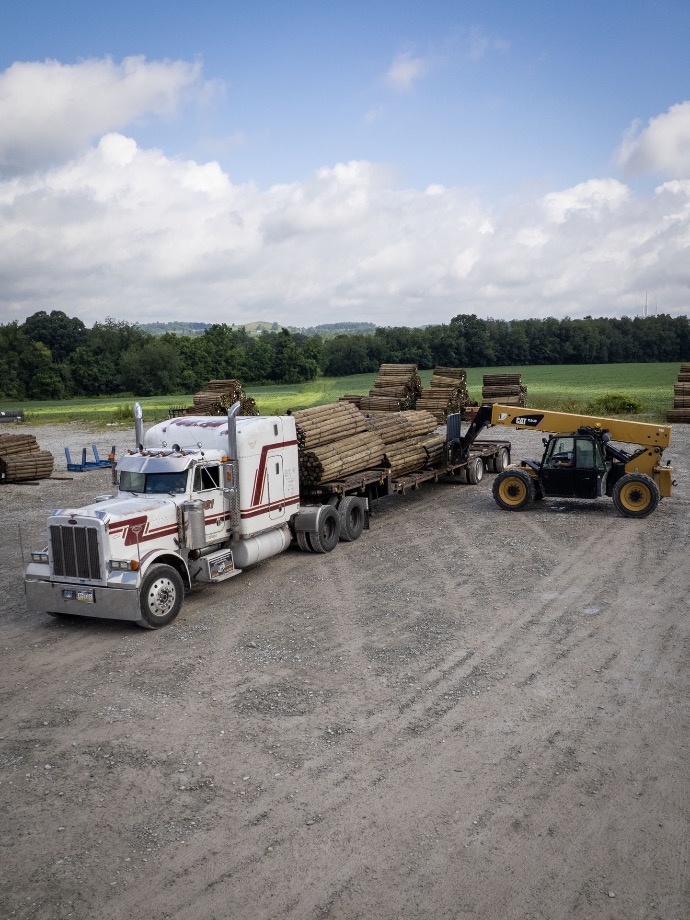
STEP 6: Order and Build!
Once you've built your fence and finalized your materials, you are ready to order for delivery!
Key Features:
A Bird’s-Eye View of Your Fence: See your full project from above and design with the precision of satellite imagery.
Real-Time Material & Cost Calculation: No guesswork — see your full bill of materials update automatically as you map your fence.
Fully Editable Materials List: Fine-tune quantities, choose alternate components, or add additional hardware.
Draw Everything — Not Just the Fence: Mark gates, barns, treelines, water crossings, soil boundaries, and more.
Save, Share, and Order: Save your design, share it with your team, or submit directly to Kencove for a quote or pickup order.
Start Designing Your Fence Today
Plan smarter. Build with confidence. Save time and money.